
A domain that looks perfect on the surface can be hiding years of spam activity, toxic backlinks, or unresolved trademark disputes underneath. The previous owner’s decisions follow the domain around like a credit score. And unlike a fresh registration, a pre-owned domain doesn’t come with a clean slate unless you verify it yourself.
Here’s how to do that properly before you hand over any money.
Check the WHOIS Records First
WHOIS lookups are your starting point. They show registration dates, past ownership changes, and sometimes the registrant’s contact details. A domain that’s changed hands five times in three years is a red flag. Frequent ownership transfers can signal that previous buyers discovered problems and dumped it.
Tools like DomainTools and WhoisHistory give you a more detailed ownership timeline than a basic WHOIS lookup. You’ll want to look at how long each owner held the domain, whether there were gaps in registration, and if the domain ever expired and was re-registered. Gaps often mean nobody wanted it, and that’s worth asking why.
Look at What the Site Used to Be
The Wayback Machine at archive.org is probably the most useful tool for this. It stores snapshots of websites going back decades, and a quick search will show you what the domain looked like under previous owners.
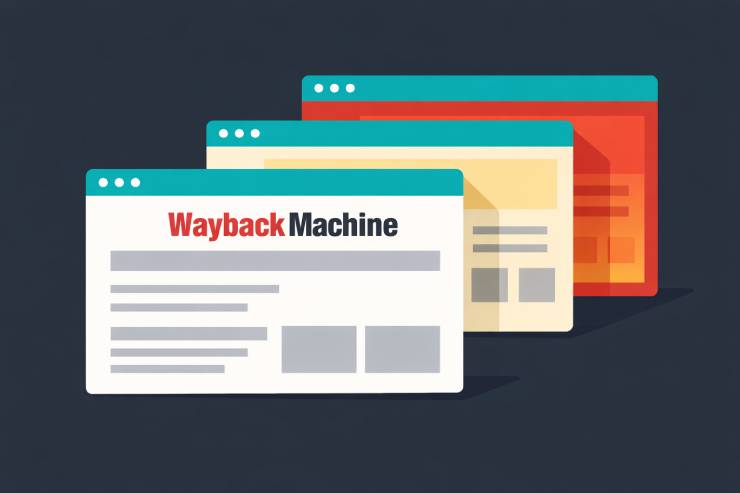
What you’re looking for here is straightforward. If the domain was running a legitimate business or blog, that’s usually fine. If the snapshots show a parked page full of spammy ads, a casino affiliate site, or something in a completely unrelated niche, those are signals that search engines may have already flagged the domain. A domain that hosted a payday loans comparison site in 2020 will carry that baggage into whatever you build on it next.
Don’t skip this step. It takes five minutes and can save you months of wondering why your rankings won’t improve.
Dig Into the Backlink Profile
Backlinks are where things get interesting. A domain with a strong backlink profile from reputable sites is genuinely valuable. That’s one of the main reasons people buy existing domains in the first place. But a domain loaded with toxic links from PBNs, comment spam, or irrelevant foreign-language sites is going to cause problems.
Pull the domain through Ahrefs, SEMrush, or Moz and look at a few specific things. Check the Domain Rating or Domain Authority score. Look at the referring domains list and see if the sites linking to it are real or junk. Pay attention to anchor text distribution. If 80% of the anchors are exact-match keywords like “cheap viagra” or “best online casino,” that’s a disavow nightmare waiting to happen.
Also check whether the backlink count has dropped sharply at any point. A sudden decline usually means the previous owner got hit with a manual penalty and tried to clean up, or Google devalued the links algorithmically. Either way, it tells you something.
Search for Trademark and Legal Problems
Even a domain with clean SEO history can come with legal baggage. If the domain name is similar to or contains a registered trademark, the trademark holder can file a UDRP complaint and take the domain from you. This happens more often than most people expect.
Before buying, run the domain name through the USPTO database if you’re targeting the US market, or EUIPO for Europe. Check WIPO’s domain dispute database too. If the domain has been involved in a previous UDRP case, that’s a major warning sign regardless of who won.
This matters especially if you plan to build a brand around the domain. Spending $500 on a domain and then getting hit with a cease-and-desist letter two months later is not a great investment.
Check the Domain’s Wider Reputation
Search engines aren’t the only place where a domain builds a reputation. Try searching the domain name on Reddit, Twitter, and consumer complaint sites. If previous owners used the domain for phishing, scam emails, or shady marketing, people may have flagged it publicly. Domains that were tied to internet security threats like phishing or malware distribution tend to get remembered, and not in a good way.
You can also check whether the domain appears on any email blacklists. A domain that was used for mass spam campaigns may still be flagged by email providers, which will cause deliverability problems if you plan to send emails from that domain. MXToolbox and Google’s Postmaster Tools can help here.
Pick the Right Registrar
Once you’ve done your homework and the domain checks out, you need a registrar you can trust. Look for transparent renewal pricing, reliable DNS management, and easy transfer options. Some of the bigger registrars are notorious for low introductory rates that jump significantly at renewal. Register.Domains is one option worth considering if you want clear pricing without the bait-and-switch.
A good registrar matters more than most people think. You’ll be managing DNS records, renewals, and potentially transfers through them for years. That relationship deserves the same due diligence you put into researching the domain itself.
Before You Hit Buy
Run through this quick checklist before committing to any domain purchase.
Cross-reference at least two or three history tools. WHOIS alone isn’t enough, and neither is the Wayback Machine by itself. Layer your research.
Pull the backlink profile and actually look through the referring domains. Don’t just glance at the Domain Rating number and assume everything is fine.
Search for trademark conflicts. Five minutes on the USPTO or EUIPO sites can prevent a legal headache that costs you thousands.
Google the domain name in quotes. If complaints, scam reports, or blacklist entries show up, walk away.
And check the email reputation if you plan to use the domain for outreach or newsletters. A blacklisted domain will tank your deliverability from day one.
Buying a pre-owned domain can give you a real head start with existing authority and backlinks. But only if you verify what you’re actually getting. The research takes an hour at most. Skipping it can cost you much more than that.
How to Check a Domain's History Before You Buy